




LED Floor Game Room Troubleshooting: Common Issues & Fixes
- LED Floor Game Room Troubleshooting Common Issues — Quick Guide
- Introduction: why LED floor troubleshooting matters for game rooms
- analysis: what users are looking for
- Checklist: first 60 seconds diagnostic
- Power and supply problems: common causes and fixes
- LED modules and pixel failures: identification and repair
- Controller and software errors: diagnostics and best practices
- Wiring, connectors, and network issues
- Environmental factors: moisture, temperature, and wear
- Calibration, alignment and sensor lag
- Routine maintenance schedule to prevent common issues
- Cost considerations and repair vs. replace analysis
- Step-by-step troubleshooting flow for technicians
- Kyda expertise and custom solutions
- When to call a professional vs. DIY fixes
- Conclusion: keep interactive floors profitable and reliable
- Frequently Asked Questions
LED Floor Game Room Troubleshooting Common Issues — Quick Guide
Introduction: why LED floor troubleshooting matters for game rooms
LED Floor Game Room Troubleshooting Common Issues is a frequent search for operators who need fast, reliable solutions to keep interactive floors online. Downtime reduces guest satisfaction and revenue in Activate gaming centers, so understanding common issues, quick diagnostics, and effective maintenance is essential for owners, operators, and technicians.
analysis: what users are looking for
Users searching for LED Floor Game Room Troubleshooting Common Issues typically want actionable, step-by-step guidance: how to diagnose dead tiles, fix dimming, resolve controller or software errors, and evaluate repair vs. replacement costs. They also want preventive maintenance tips to maximize lifespan and ROI for active game rooms.
Checklist: first 60 seconds diagnostic
For quick LED Floor Game Room Troubleshooting Common Issues, begin with a 60-second checklist: (1) power check — confirm breakers and power supplies; (2) visual scan — look for dark tiles or flicker; (3) controller health — check system console and error codes; (4) cables and connectors — inspect for loose or damaged connectors. These quick checks solve many common issues before deeper intervention.
Power and supply problems: common causes and fixes
Power faults are among the most common LED Floor Game Room Troubleshooting Common Issues. Symptoms include dimming, flicker, or full sections going dark. Verify AC feed, circuit breakers, and DC output from LED power supplies. Replace power supplies that fail voltage tests. Typical industrial LED power supplies under heavy use may last 3–7 years; replacing aging PSUs proactively reduces unexpected downtime.
LED modules and pixel failures: identification and repair
Pixel or module failures appear as dead spots, color shifts, or inconsistent brightness. For LED Floor Game Room Troubleshooting Common Issues, isolate the affected tile and swap it with a known-good tile (if the system supports hot-swap) to confirm module vs. controller faults. Replace individual modules when failure rate is low; for widespread failures consider full tile replacement. Typical LED module ratings are ~50,000 hours of useful life under recommended operating conditions.
Controller and software errors: diagnostics and best practices
Software or controller issues often manifest as timing errors, misalignment of game zones, or unresponsive interactivity. LED Floor Game Room Troubleshooting Common Issues here include firmware mismatches, corrupted configuration files, and network/communication interruptions. Reboot controllers, verify firmware versions, restore known-good configurations, and ensure secure, low-latency network connections between controllers and PCs running game software.
Wiring, connectors, and network issues
Loose or corroded connectors, damaged wiring, and bad Ethernet switches are common contributors to LED Floor Game Room Troubleshooting Common Issues. Regularly inspect connectors and cabling for wear, especially in high-traffic areas. Use industrial-rated connectors and strain relief. Replace oxidized contacts and verify PoE (if used) or dedicated power cabling to prevent intermittent failures.
Environmental factors: moisture, temperature, and wear
Environmental conditions cause many LED Floor Game Room Troubleshooting Common Issues. Moisture ingress, extreme temperatures, and physical abrasion from footwear can degrade components. Ensure tiles have IP ratings appropriate for your venue, maintain room climate (typical electronics perform best at 10–30°C), and use protective overlays where foot traffic is heavy.
Calibration, alignment and sensor lag
Incorrect calibration or delayed sensor response leads to poor game experience — another common LED Floor Game Room Troubleshooting Common Issues. Recalibrate sensors and touch/pressure zones after installation changes or maintenance. Software updates sometimes change timing parameters; always run calibration routines after updates to preserve accurate interactivity.
Routine maintenance schedule to prevent common issues
Preventive maintenance reduces the frequency of LED Floor Game Room Troubleshooting Common Issues. A suggested schedule: daily visual inspections, weekly function tests, monthly firmware and backup configuration checks, and quarterly deep cleaning and connector checks. Kyda recommends keeping spare modules, power supplies, and an on-call technician to minimize downtime.
Cost considerations and repair vs. replace analysis
Operators facing LED Floor Game Room Troubleshooting Common Issues must weigh repair costs against replacement. Minor fixes (replacing small modules or fuses) are low-cost; board-level or controller replacements are higher. Kyda designs low-cost, high-return interactive equipment to minimize total cost of ownership. Below is a practical comparison to guide decisions.
| Issue | Likely Cause | Typical Fix | Estimated Cost Range (USD) | Downtime |
|---|---|---|---|---|
| Single dead tile | Failed LED module or connector | Swap/replace tile or module | $50 - $400 | 0.5 - 4 hours |
| Sectional dimming/flicker | Power supply or wiring | Replace PSU or repair wiring | $100 - $700 | 1 - 8 hours |
| Controller errors | Firmware/software or controller failure | Reflash/update firmware or replace controller | $200 - $1,500 | 1 - 24 hours |
| Widespread failure | Environmental damage or end-of-life | Partial/full replacement | $2,000 - $30,000+ | 1 day - multiple days |
Step-by-step troubleshooting flow for technicians
Follow this flow to resolve LED Floor Game Room Troubleshooting Common Issues efficiently: 1) Verify power upstream and measure voltages; 2) Run a software diagnostics report and note error codes; 3) Isolate affected tiles and swap with known good units; 4) Inspect and reseat connectors; 5) Update or rollback firmware if the issue started after an update; 6) Escalate to hardware replacement if modular replacement fails.
Kyda expertise and custom solutions
Kyda is a one-stop solution provider of active game rooms and Activate gaming centers, specializing in custom interactive LED floor systems. Our multidisciplinary team — from electronic design to game/animation and interior design — supports LED Floor Game Room Troubleshooting Common Issues by providing spare parts, remote diagnostics, and on-site service options tailored to local needs.
When to call a professional vs. DIY fixes
Simple checks (power, connectors, software restarts) are safe DIY actions for operators facing LED Floor Game Room Troubleshooting Common Issues. However, open-cabinet electrical work, firmware reprogramming without backups, and structural tile removal should be handled by certified technicians. Kyda offers technical support and trained installers to minimize risk and ensure warranty compliance.
Conclusion: keep interactive floors profitable and reliable
Addressing LED Floor Game Room Troubleshooting Common Issues quickly maximizes uptime, guest satisfaction, and revenue. Use a regular maintenance schedule, keep essential spares on hand, and partner with a manufacturer like Kyda for rapid parts, professional diagnostics, and tailored solutions. Proactive maintenance and prompt repairs keep your Activate gaming center performing at its best.
Frequently Asked Questions
How long do LED floor tiles typically last?Typical LED modules are rated around 50,000 hours under recommended operating conditions. Actual lifetime depends on usage, power quality, and environmental factors.
What is the most common cause of dead tiles?Power supply failure and connector/wiring faults are the most common causes of dead tiles in LED floors.
Can I perform firmware updates myself?You can update firmware if you follow the vendor instructions and backup configurations first. For mission-critical systems, schedule updates during off-hours and consider having a technician on standby.
How quickly can Kyda provide replacement parts?Lead times vary by region and inventory, but Kyda leverages manufacturing partnerships across Guangzhou, Zhongshan, Zhengzhou, and Beijing to provide localized, prompt support. Contact Kyda for exact part availability and expedited shipping options.
What preventive steps reduce repair costs?Regular cleaning, quarterly inspections, environmental control (temperature/humidity), and keeping spare modules and PSUs on-site significantly reduce repair costs and downtime.
The interactive wall projection Cost Guide
Best active game manufacturers and supplier brands in us
Why choose Kyda as your interactive wall projection games supplier
How Active Reaction Games Improve Cognitive Performance
For Led Floor for Dance Pixel Grid Room
How much size if we start the Megagrid floorislava?
One LED grid tile is 30*30cm, eg: room size 10*5m, which can match 32*16pcs,512pcs for total; Layout: customize the quantity and place it according to the actual venue.
For Company
How is warranty?
Hardware is two years warranty non-human factors, software for life time(The first year is for free, pay extra software service cost extra from the second year).
Can you make decoration design for buyer’s place?
We also can assist to make decoration that is for extra.
What is your advantage?
1)We have CE certification, Software copyright, Patent;
2) We already assistant our customer open more than 100places activate shop in the world, we know what is the important, how to meet different country’s requirements, personal customize game , software, hardware;
3)We already developed above 50 different game room, and will update more;
4)We have our own management system, Online booking ticket system(online payment support), Ranking system , Score system, DIY website.
For Games Grid Floor is Lava
Can we just buy one game room of grid floor is lava?
Yes, If you start the activate game at the first time. We have more than above 50 different activate interactive challenge game rooms for options.
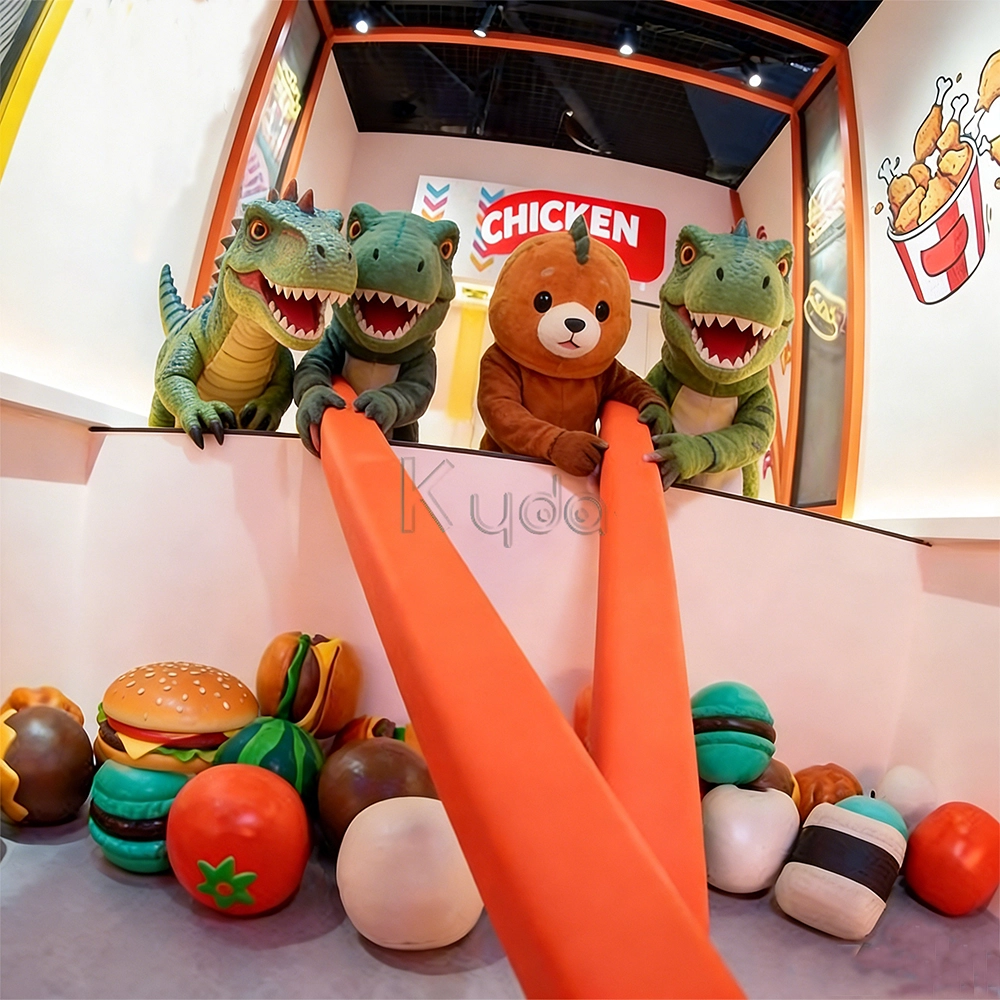
Crub Crab Giant Chopsticks Challenge Game Interactive Skill Challenge Game for Activate Game Rooms by Kyda
Crub Crab Giant Chopsticks Challenge Game is an innovative interactive challenge attraction designed for indoor entertainment centers, arcade game venues, and activate-style interactive game rooms. In this unique skill-based game, players control a pair of oversized giant chopsticks to pick up scattered snacks, toys, or prize items and place them into a collection basket within a limited time. The gameplay combines hand-eye coordination, precision control, balance, and quick reaction, creating a fun and competitive experience suitable for players of all ages.
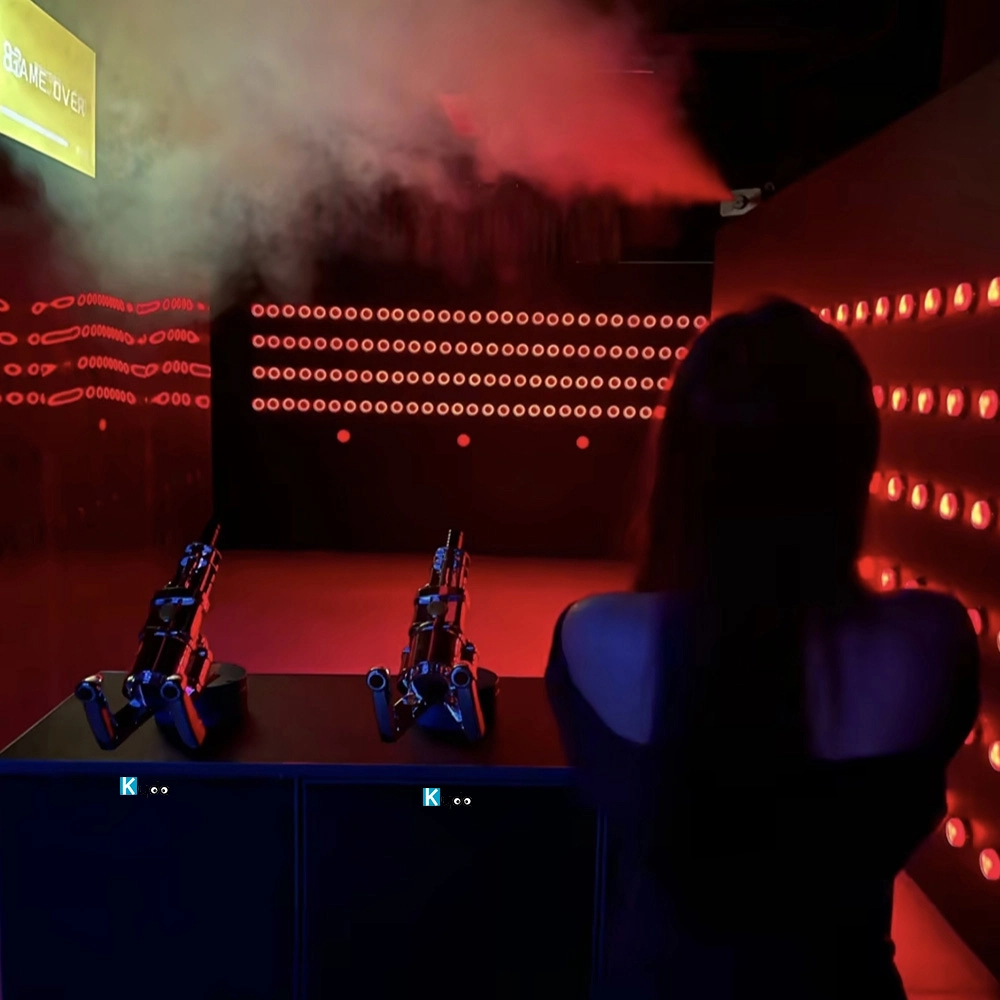
Active Reaction Laser Shooting Game Room
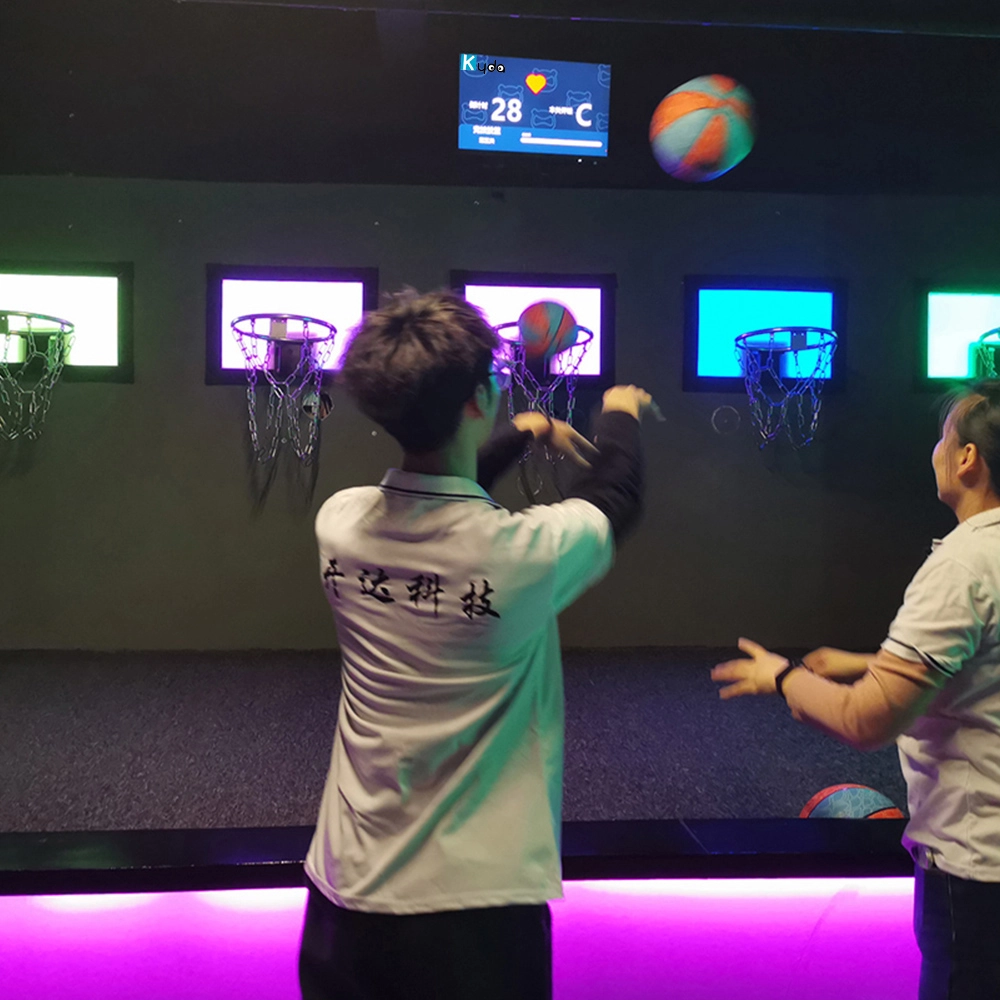
Hoops Active Game: The Ultimate Interactive Basketball Fitness Game
Elevate your basketball skills with Kyda’s Hoops Activate Game, the interactive basketball game. Perfect for basketball game rooms, Activate Hoops offers immersive fitness fun. Experience the Activate Basketball Game that combines sport and technology for active play.
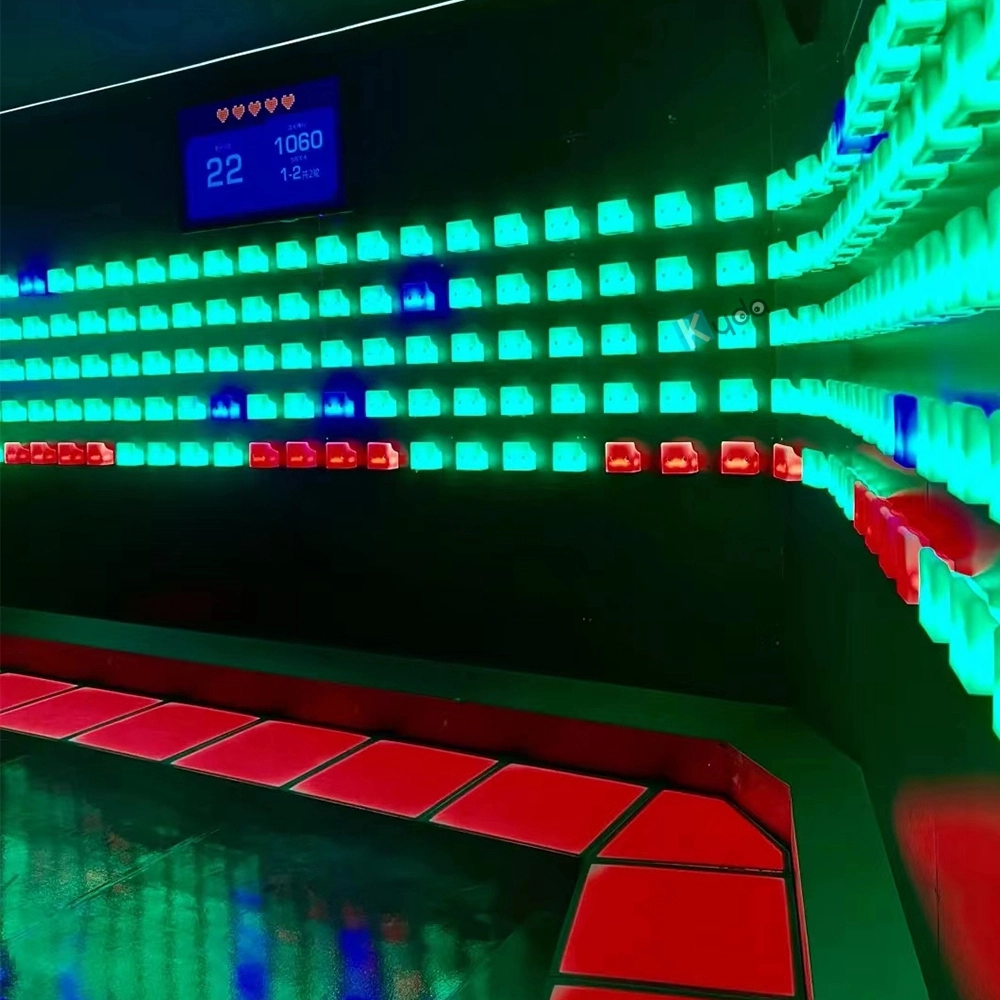
Activate Fitness Climb Game – The Ultimate Interactive LED Climbing Wall Experience
Experience the Activate Fitness Climb Game by Kyda—the interactive LED wall game. This Activate Climb Game combines fitness and fun with dynamic LED challenges, perfect for all ages. Boost agility and engagement with Kyda’s innovative interactive LED wall game today!
Let's get in touch
Email: sales@kydavr.com
Tel.: +86 188 2001 8779
Address: 501 Shixin Road, Dalong Street, Guangzhou, Guangdong, China.
© 2025 Kyda. All Rights Reserved.
 Scan QR Code
Linkedin
Ins
Facebook
Twitter
YouTube