




For a commercial venue, an interactive games table should be selected by the experience it must create, not by the screen alone. A horizontal table supports a different posture, group dynamic, circulation pattern, and service approach from an upright touchscreen station or a projection-based table. Define those conditions first, then compare the complete hardware, software, installation, and support scope.
Search results often place several different products under the same label: dedicated touch tables, upright kiosks, projected surfaces, consumer game boards, and software played on visitors' phones. This guide separates those formats for venue buyers. It also provides four practical tools: a format-fit matrix, a complete system scope map, a touch-and-claim acceptance checklist, and a quote-readiness brief. The aim is to make supplier proposals comparable before a project team commits to a format.
What Counts as an Interactive Game Table?
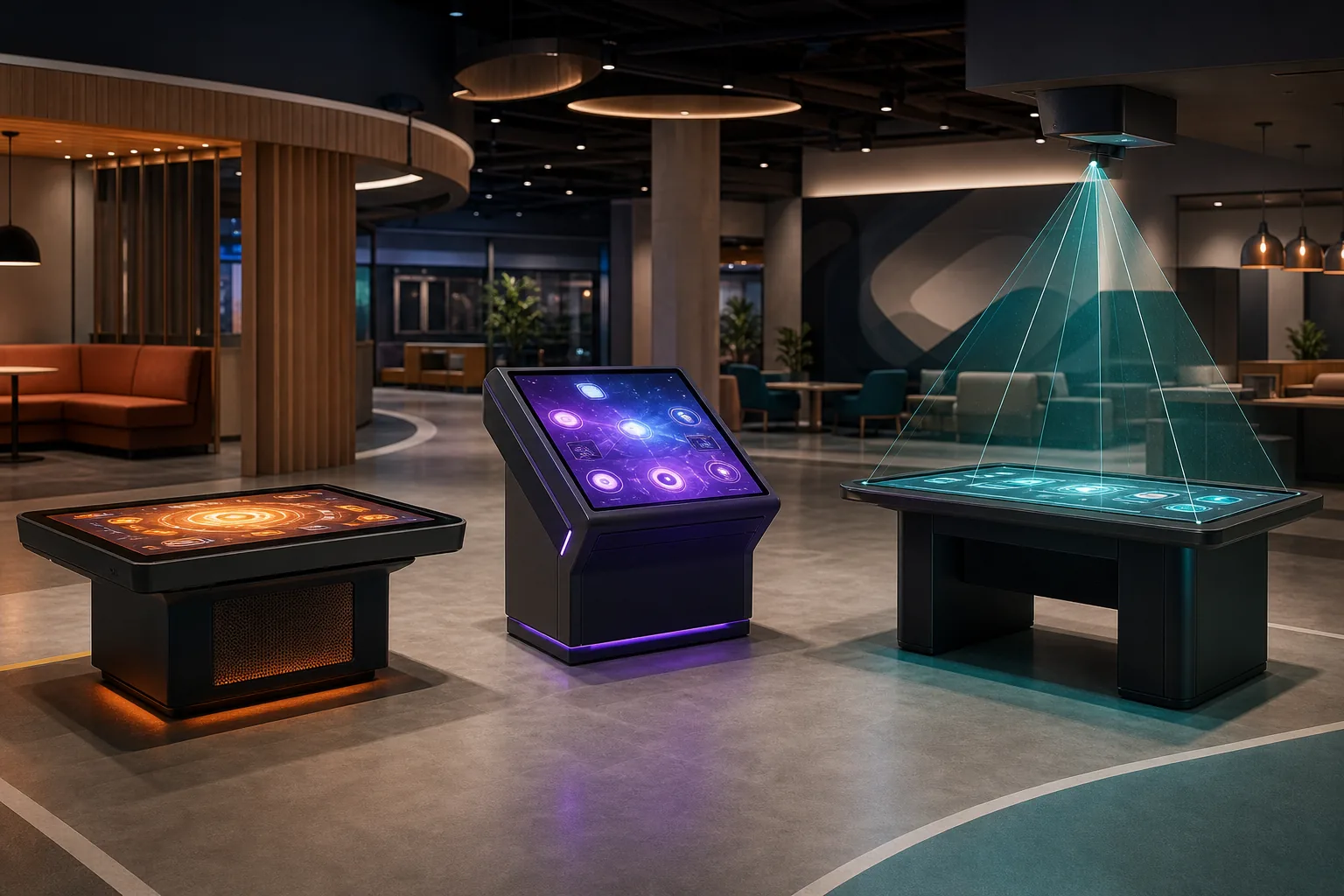
In this guide, an interactive game table is a shared-play installation built around a horizontal or angled play surface. The surface may be a touch display or a projected image paired with a separate input-tracking system. A touchscreen game station is treated as an adjacent format because it changes posture, placement, and spectator flow even when it runs similar content.
This is a procurement taxonomy, not an industry-recognized standard. Suppliers may use the same term for different systems, so a buyer should identify the physical format before comparing game counts, screen sizes, or proposal prices.
| Search label | What it may mean | What the buyer must confirm |
|---|---|---|
| Interactive games table | Dedicated horizontal or angled shared-play system | Display or projection method, input method, player positions, enclosure, and software scope |
| Interactive touch screen games | Games designed for direct touch input | Supported operating system, input behavior, per-game player assumptions, licensing, and updates |
| Interactive screen games | A broad display-based category | Whether the offer is a table, station, wall, floor, or software-only experience |
| Interactive game station | Upright, angled, or freestanding play point | Player posture, approach and exit path, spectator space, and mounting method |
| Interactive game board table | Consumer board, digital board, or venue installation | Intended duty, commercial support, replacement parts, and content rights |
Dedicated horizontal touchscreen table
A dedicated touch table combines a display, touch input, compute hardware, audio, enclosure, and game software in one venue installation. It can support face-to-face or side-by-side play, but the actual player arrangement and simultaneous-input behavior depend on the proposed model and each game. A supplier should show those conditions rather than relying on one headline capacity number.
Upright or angled touchscreen station
An upright or angled station places the display closer to a kiosk or arcade cabinet posture. It may reduce the horizontal footprint of the play surface, but it creates different questions about approach, queuing, spectators, reach, stability, and service access. Treat it as a distinct layout decision, even when the software library overlaps with a table.
Projection-based interactive table
A projection table creates the image on a physical surface and uses another technology to detect interaction. Its proposal therefore needs to identify the projector, sensor or camera, compute unit, mounting geometry, lighting assumptions, calibration process, and replacement procedure. A touch-display table and a projection table should not be quoted as interchangeable formats.
What this category excludes
Phone-at-table software, consumer game boards, floor and wall systems, generic interactive rooms, and software-only game libraries may answer adjacent searches. They are outside this page's owner boundary. Buyers comparing a wider active entertainment mix can browse Kyda's broader active game products. That category-wide hub is not evidence that a particular table or touchscreen station is currently available.
Choose the Format by Venue and Player Flow
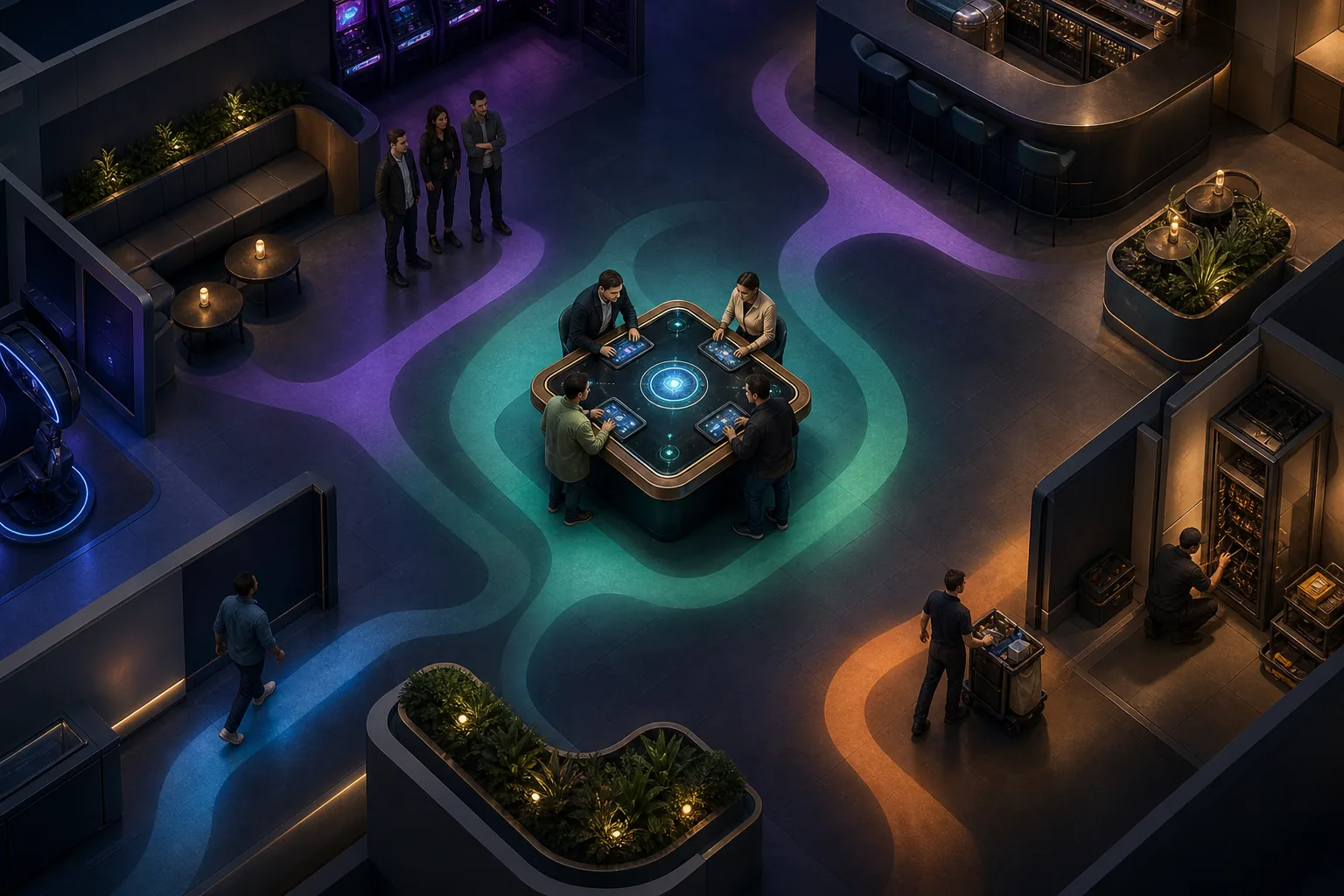
Choose the physical format after defining how people will approach, understand, play, watch, and leave the experience. A visually impressive unit can still be the wrong choice. It may create a queue across an exit path, block staff sightlines, or leave no practical way to clean and service the equipment.
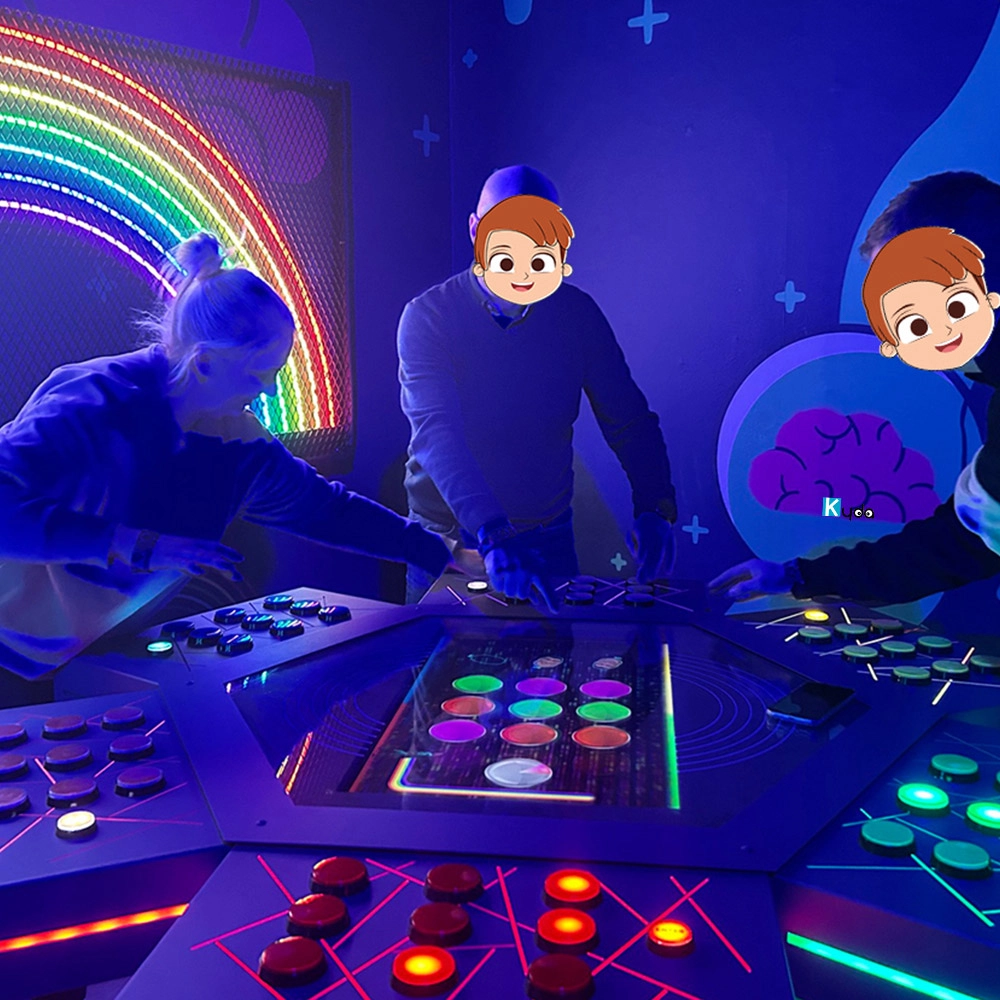
The same interactive table games can create different venue behavior when presented on a horizontal table, an upright station, or a projected surface.
The matrix below is a project-briefing tool, not a universal ranking. Use it to shortlist the format that best matches the venue, then validate the actual proposed configuration on a floor plan and in a working demonstration.
| Decision factor | Horizontal touchscreen table | Upright or angled station | Projection-based table |
|---|---|---|---|
| Typical interaction pattern | Shared view around one surface | One-sided or small-group play facing a display | Shared interaction around or beside a projected surface |
| Player posture | Standing, leaning, or seated depending on installation | Usually standing or seated facing one direction | Depends on surface height, projection geometry, and input zone |
| Circulation implication | Needs approach space around the active sides | Concentrates approach and queue on the viewing side | Needs player space plus protected projector and sensor geometry |
| Spectator behavior | Spectators may gather around several sides | Spectators tend to form behind or beside active players | Sightlines depend on projector position and player shadows |
| Onboarding | Rules and controls must be readable from multiple positions | Instructions can be presented in one main orientation | Onboarding must account for the active projection and detection area |
| Software implication | Games need a usable shared orientation and touch layout | Interface can use a more conventional front-facing layout | Content must match the projection and tracking configuration |
| Operations implication | Cleaning and service access may be needed around the enclosure | Front, rear, or side service access must stay clear | Calibration and environmental conditions become part of operations |
| Best reason to shortlist | The experience benefits from a shared central surface | The venue needs a defined, front-facing play point | The concept benefits from a large or custom-shaped physical surface |
Test player flow, not just screen size
Mark the proposed unit on a scaled venue plan. Trace five paths: player approach, active play, spectators, player exit, and staff access for reset or service. Then rehearse the busiest credible operating scenario with temporary floor markings or a full-size mock-up. This catches conflicts that a product image cannot show.
The test should answer practical questions:
- Can a new player identify where to stand and how to start without blocking the previous group?
- Where will waiting players and spectators gather?
- Can staff see the play area and reach the reset or power controls?
- Can the operating team clean the touch or play surface without moving other equipment?
- Is there a clear service route for opening panels or replacing components?
- Does the chosen posture suit the intended audience and session style?
For broader room and project context, review Kyda's venue solution formats. Use that page as a planning route, not as proof of a particular table specification.
Treat capacity as game- and model-specific
One capacity number can hide several definitions. Ask separately for active players per game, supported player positions, simultaneous input behavior, spectators, and the space needed around the unit. A four-position enclosure does not automatically mean every game accepts four simultaneous players.
Specify Hardware, Software, and Content as One System
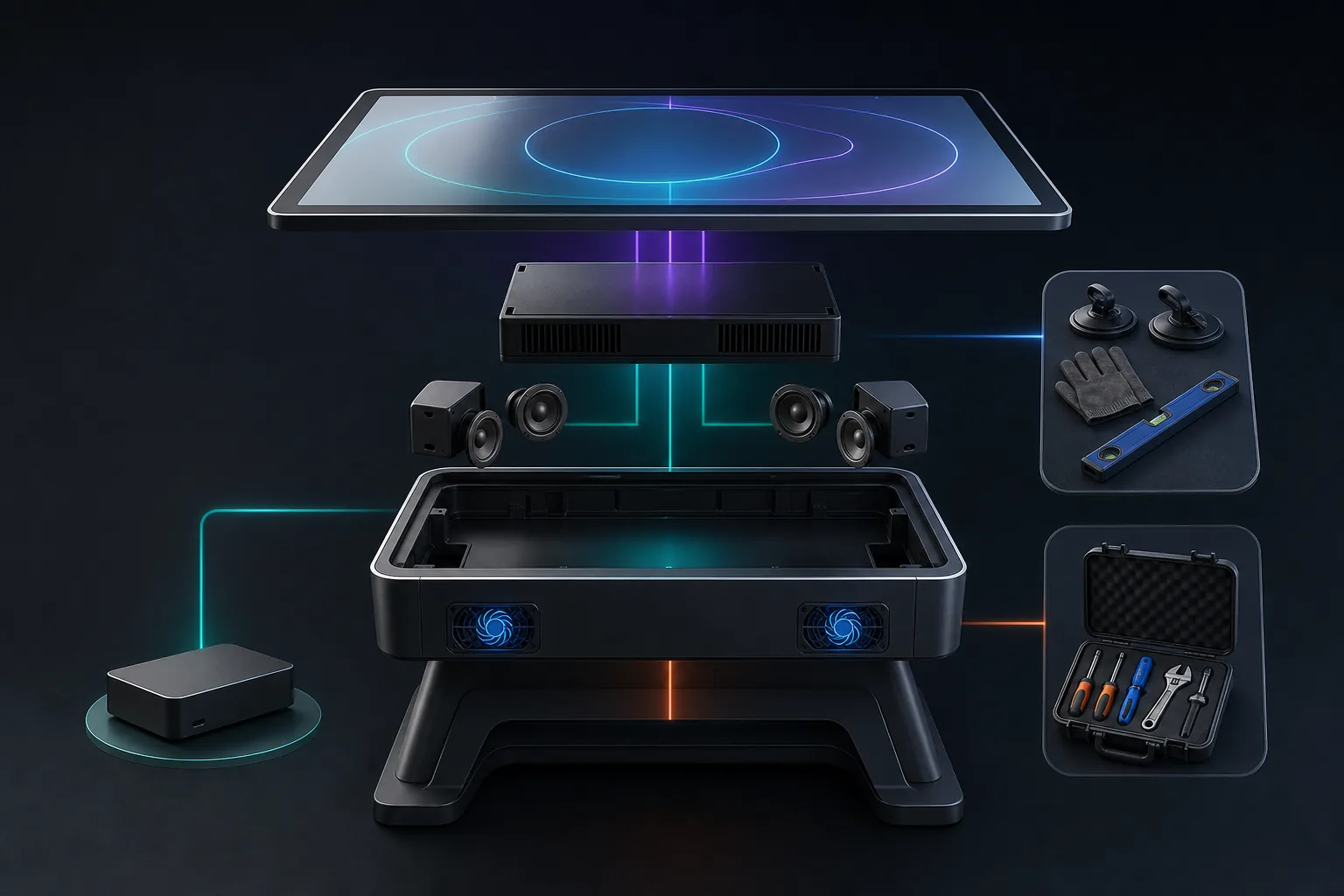
A commercial proposal should define an operating system, not only a display and enclosure. The buyer needs to know what is included at handover and what depends on a subscription or remote service. The proposal should also assign responsibility for each layer and explain what happens when a component or game stops working.
Use the following scope map to force those layers into one comparable response.
| System layer | Fields to include in the proposal | Why it changes the decision |
|---|---|---|
| Hardware and enclosure | Display or projector, input technology, compute unit, audio, enclosure, ventilation, ports, cables, controls, mounting, and service access | Defines the physical configuration and replacement boundaries |
| Games and user interface | Included titles, per-game player assumptions, languages, onboarding, operator controls, reset behavior, and supported accessibility features | Determines what visitors and staff can actually do |
| Software and content rights | Operating system, launcher, license term, update method, custom-content scope, branding rights, and content ownership | Separates delivered capability from ongoing or restricted use |
| Connectivity and data | Offline functions, network dependencies, remote access, updates, analytics, payments, user data, logs, and account ownership | Exposes operational and security dependencies |
| Project delivery | Drawings, shipping scope, installation, commissioning, calibration, training, and acceptance testing | Clarifies who makes the system ready for use |
| Service lifecycle | Cleaning instructions, maintenance, warranty, escalation, remote and on-site support, software recovery, spares, and end-of-support policy | Shows how the venue will recover from faults and maintain the experience |
Hardware and enclosure layer
Ask the supplier to name each main component and identify which items are standard, optional, or selected for the project. Request a dimensioned drawing that shows the external envelope, player sides, cable exits, ventilation, doors or removable panels, lifting points when applicable, and minimum service access. Electrical and network requirements should come from the proposed configuration, not a generic category description.
Material language also needs evidence. Terms such as “commercial grade,” “waterproof,” or “impact resistant” should not be accepted as a substitute for the exact model, test method, configuration, result, and exclusions that support the claim.
Software, games, and content rights
Separate the game list from the rights and services around it. For every proposed game, record the supported input, player assumptions, language, session controls, and whether the title is included permanently, licensed for a term, or dependent on an account. If custom games or branded content are requested, the proposal should state who provides the brief and assets and who owns the result. It should also identify the supported platform and the party responsible for maintenance after an update.
This distinction matters because two visually similar systems can create different operating obligations. One may run its approved content locally; another may need a network connection for account validation, updates, analytics, payments, or remote support. The supplier should itemize those dependencies rather than describe the whole system as simply online or offline.
Connectivity, remote access, and optional integrations
For any connected configuration, use a structured question set. NIST IR 8259A provides a voluntary starting point for device-capability questions, including configuration and software updates. It is not a certification, legal requirement, or statement that every interactive table is an Internet of Things device.
Ask the supplier:
- Which functions continue when the venue network or external service is unavailable?
- Who owns administrator accounts, credentials, logs, and collected data?
- How are software and security updates delivered, authorized, recorded, and recovered if an update fails?
- Can remote access be disabled, limited, or approved per session?
- Which ports, domains, devices, subscriptions, or third-party accounts are required?
- How are optional payments or analytics separated from core game operation?
The answers should appear in the proposal, system documentation, and acceptance test. They should not be left as assumptions made during installation.
Plan Installation, Cleaning, and Service Access
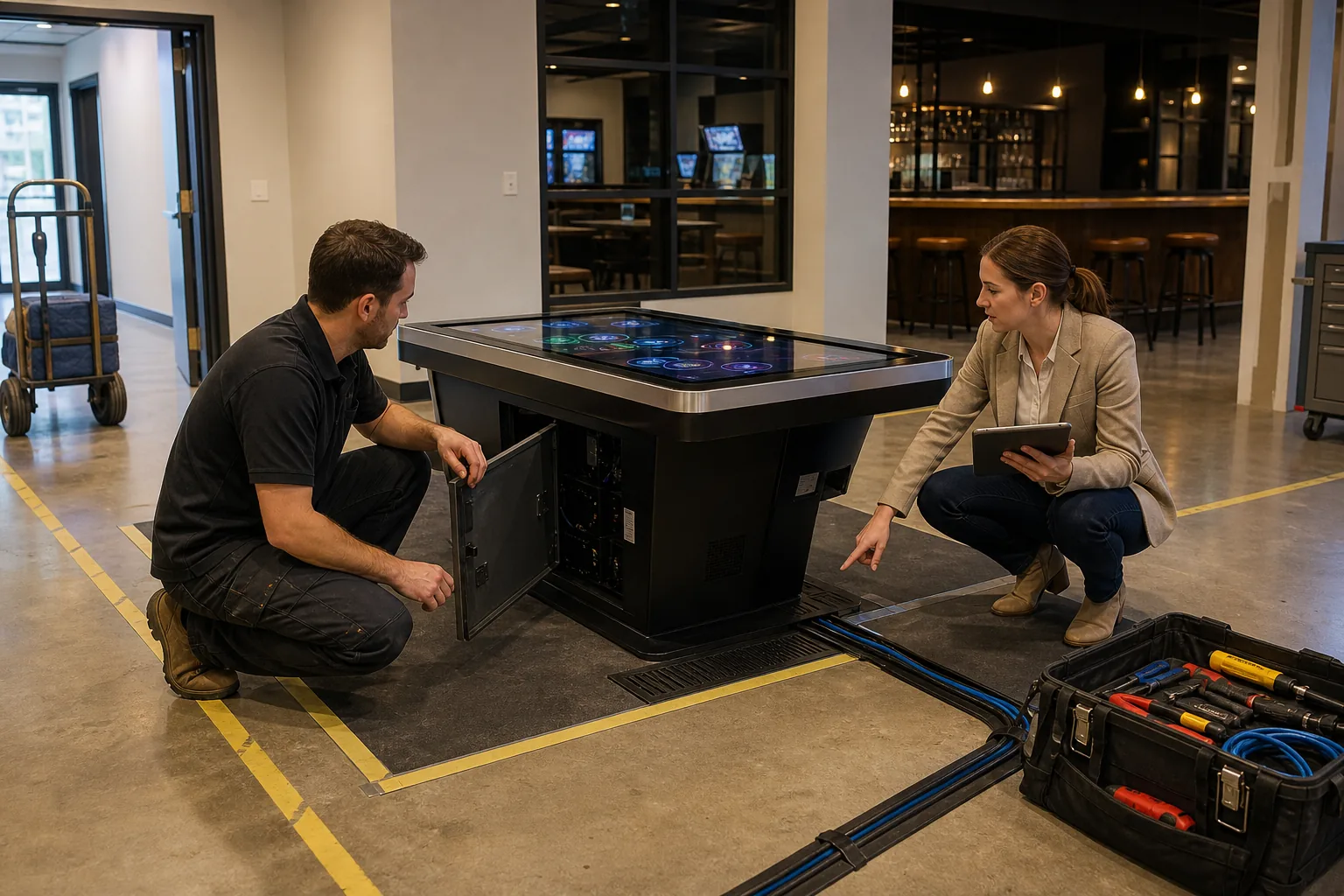
Site readiness starts before the equipment reaches the venue. The project team should give each supplier the same route, placement, utility, network, and operating information. The supplier should then return exact requirements for the proposed configuration. This division keeps project assumptions separate from model facts.
| Readiness area | Buyer provides | Supplier confirms |
|---|---|---|
| Delivery route | Entrance, door, corridor, lift, floor, stair, and access restrictions | Packed dimensions, weight, handling method, lifting points, delivery split, and tools |
| Placement | Floor plan, nearby attractions, player and spectator routes, and staff sightlines | Installed dimensions, player sides, stability or mounting method, and exclusion zones |
| Utilities | Available electrical circuits, outlets, network options, and shutdown rules | Input, maximum load, plug or hardwire method, cable exits, network dependencies, and isolation procedure |
| Environment | Indoor or other intended setting, lighting, temperature controls, dust or moisture concerns | Allowed operating conditions and evidence for any environmental claim |
| Service access | Available rear, side, top, or under-unit access | Required panel clearances, replaceable units, diagnostic access, and safe shutdown sequence |
| Operations | Opening hours, cleaning window, staffing, and escalation contacts | Cleaning method, maintenance schedule, operator tasks, support route, and recovery procedure |
Confirm the route, utilities, and clearances
Attach a plan, site photographs, and the relevant access measurements to the buyer brief. Ask the supplier to mark the proposed position, cable route, player zones, ventilation, and service openings on a returned drawing. If any value is unknown, label it as pending rather than estimating it from another product.
The installation responsibility also needs to be explicit. State who unloads, assembles, mounts, connects, configures, calibrates, tests, and signs off the system. Identify any work that must be completed by the venue, landlord, electrician, network team, or another contractor before the supplier arrives.
Follow the selected manufacturer's cleaning instructions
Do not apply one generic cleaning procedure to every screen and enclosure. The display manufacturer, enclosure supplier, and system integrator may specify different materials, cloths, contact times, shutdown steps, and liquid restrictions. The final operating procedure should follow the instructions for the components actually delivered.
Elo's current manufacturer-specific bulletin illustrates this boundary for its own touchscreen products: it tells operators not to spray liquid directly on the product and lists product-specific cleaning guidance. That document does not establish the correct method for a Kyda system or another manufacturer's display.
Define service, spares, and fault recovery
Ask what the operator should do when the game freezes, touch input stops responding, the network fails, or a peripheral becomes unavailable. The proposal should separate operator actions, remote support, on-site work, software recovery, and component replacement. It should also identify warranty scope, escalation contacts, spare-part options, excluded work, and any recurring service item.
Readers can use Kyda's installation and service support route for broader project questions. The live page confirms a service-support destination, but this article does not promise a response time, warranty term, spare-part stock, or site-specific service scope.
Evaluate Touch Experience, Accessibility, and Safety Claims
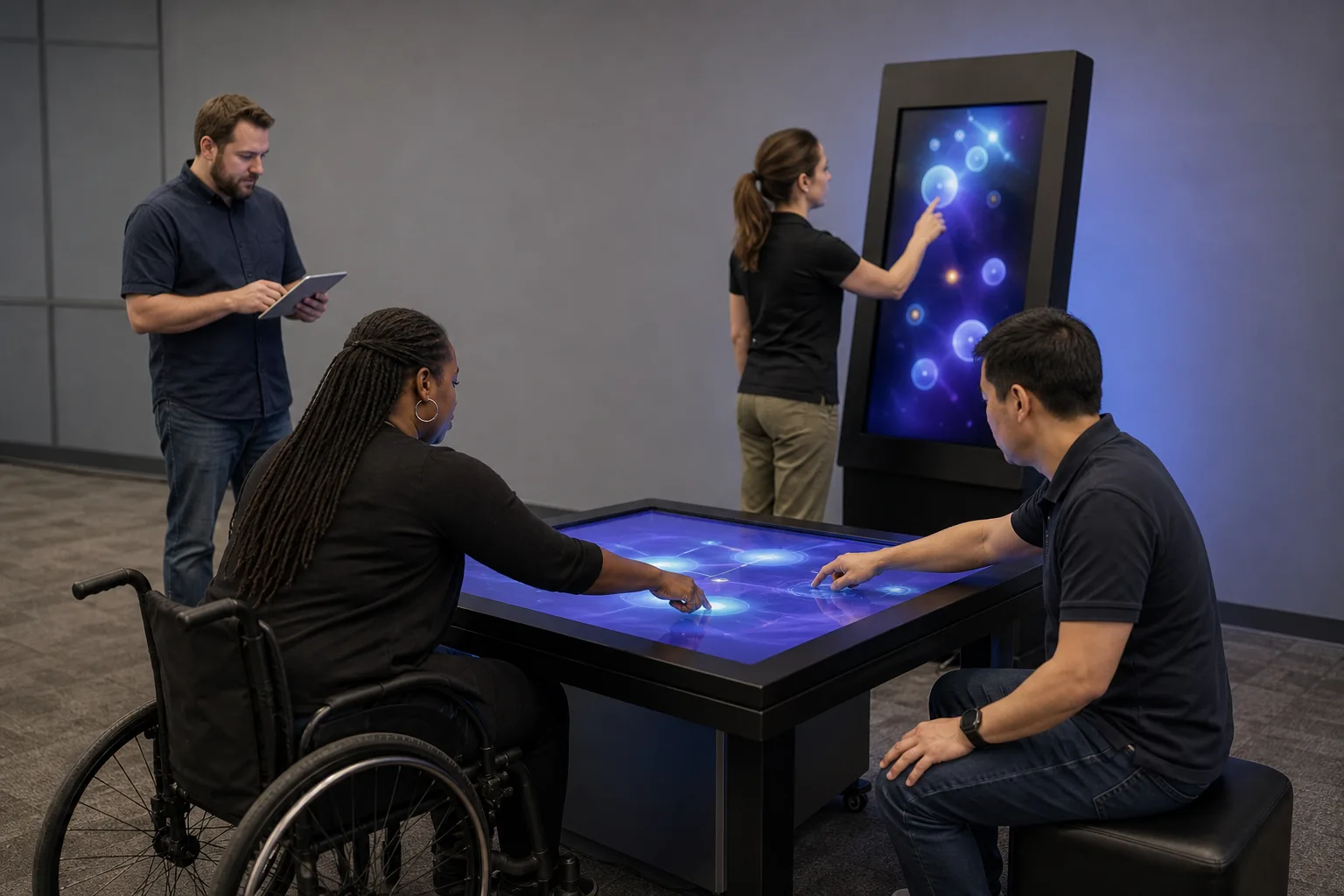
A showroom demonstration should become a repeatable acceptance test. Run the proposed games on the actual display, input system, operating system, enclosure, and network configuration. Test with representative users and venue staff instead of judging the experience from a video or a different model.
Test touch behavior in realistic scenarios
Microsoft's Windows touch guidance describes touch as less precise than mouse input and emphasizes visible feedback. Those principles can inform a Windows-based test, but they do not prove that another platform or a particular game will behave well. The project team should verify the delivered configuration directly.
Use scenarios that reflect real venue operation:
- Start a game with a careful tap and with a less precise touch.
- Repeat input quickly and test two or more intended users when the game claims to support them.
- Try controls near edges, corners, and other visually crowded areas.
- Confirm that the interface shows a clear response after an accepted input.
- Interrupt play, lose the network when safe to do so, restart the application, and verify the documented recovery path.
- Test operator reset, volume, language, session, and shutdown controls.
- Observe whether players, spectators, clothing, objects, or cleaning residue create unintended input in the actual layout.
Record the build version, game, configuration, scenario, expected result, observed result, and disposition. A pass for one game should not automatically be applied to the whole library.
Scope accessibility to the interface and installation
Accessibility is not established by one interface rule. For web-based controls, WCAG 2.2 Success Criterion 2.5.8 addresses target size or spacing in CSS pixels. It does not define a universal physical button size for every native game, prove that an installation is accessible, or replace applicable local requirements.
The buyer should therefore evaluate several layers:
- whether controls are large and separated enough for the intended users and interface technology;
- whether text, icons, feedback, timing, audio, color, and alternative input suit the target audience;
- whether players can approach, reach, see, hear, and understand the installation in its actual location;
- whether venue policies and applicable local requirements add further obligations.
Use the actual target users and jurisdiction to define the acceptance method. Do not turn a web-content criterion into a universal product-compliance claim.
Ask for evidence behind material claims
Convert every durability, environmental, electrical, or safety phrase into a document request. The supplier response should identify the exact model, tested configuration, and standard or edition when relevant. It should also name the issuing body, record identifier, result, and exclusions. A logo, marketing adjective, or certificate for a different configuration is not enough.
| Claim in a proposal | Evidence to request | Acceptance decision |
|---|---|---|
| Commercial grade or continuous operation | Defined duty or environmental conditions, applicable component documents, maintenance limits, and warranty scope | Accept only the documented scope; remove unsupported lifespan implications |
| Water, dust, or impact resistance | Exact model, configuration, standard and edition, test report, result, and installation conditions | Do not generalize beyond the tested configuration |
| Electrical or product safety | Applicable jurisdiction, exact product/configuration, issuing record, validity, and exclusions | Obtain qualified local review when required |
| Accessibility | Interface test, installation assessment, target-user method, and applicable local review | Do not promise universal compliance |
| Multi-user touch or player capacity | Per-game active-player test, simultaneous-input test, layout, and supported configuration | Record game-specific acceptance rather than one category number |
Turn Requirements into a Comparable Supplier Quote
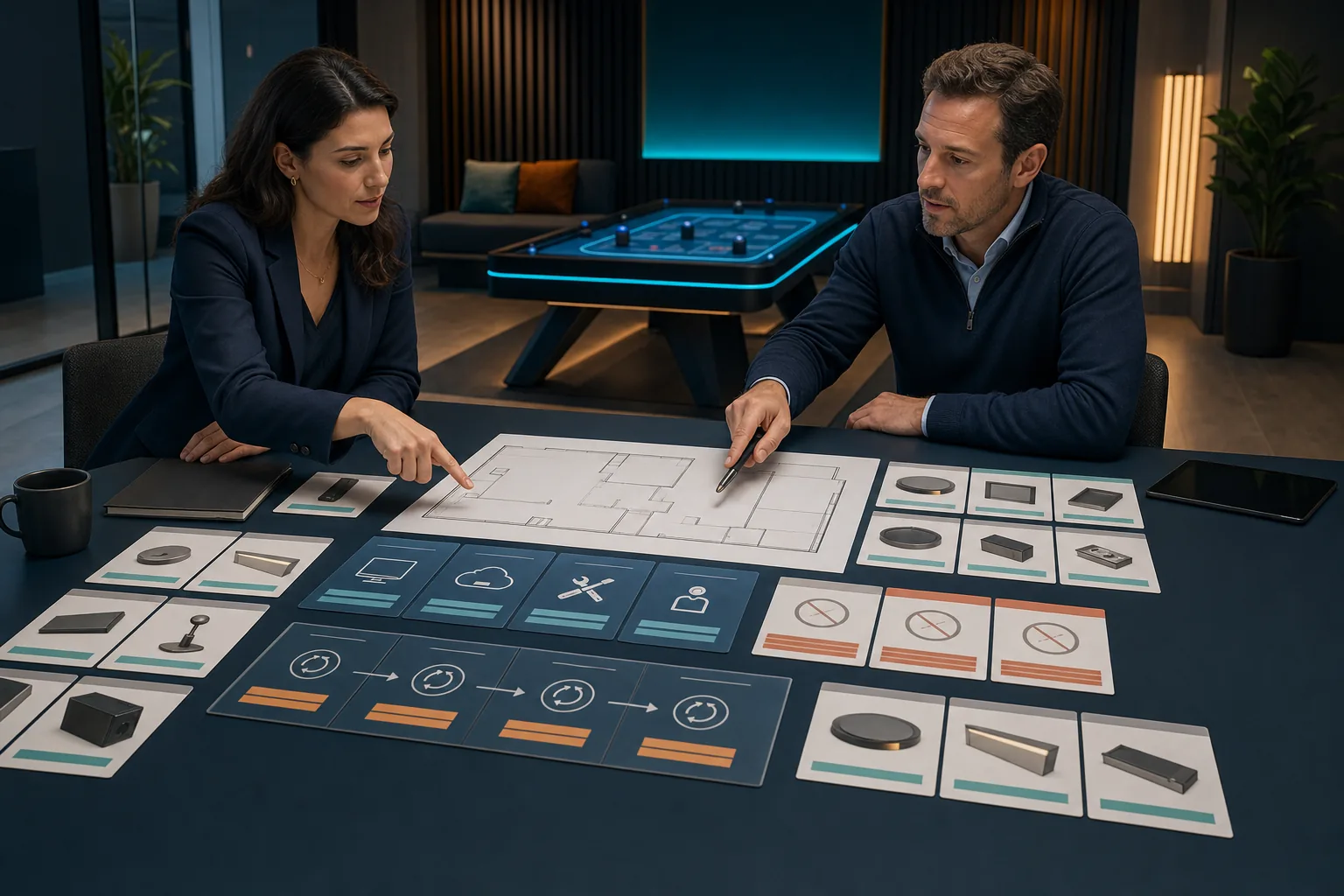
Send every shortlisted supplier the same brief and require the same response structure. This does not make the products identical. It makes differences in configuration, responsibility, recurring scope, exclusions, and evidence visible before the buyer compares the headline price.
The checklist below is an editorial procurement tool. It is not a quotation, technical specification, contract, or industry-recognized standard.
Complete the buyer-input fields
| Buyer field | Information to provide |
|---|---|
| Project context | Venue type, city and country, project stage, intended opening or installation window, and decision contacts |
| Commercial objective | Role of the experience in the venue, intended session pattern, target users, supervision approach, and adjacent attractions |
| Format decision | Preferred table, station, or projection format, plus alternatives still under consideration |
| Placement and flow | Floor plan, available area, player and spectator routes, queues, exits, staff sightlines, and service access |
| Site conditions | Delivery route, floor and mounting constraints, electrical supply, network options, lighting, and relevant environmental concerns |
| Games and interface | Content themes, audience, languages, player pattern, session controls, operator controls, and accessibility needs |
| Software and integrations | Offline priorities, updates, remote support, analytics, payments, accounts, data handling, and third-party systems |
| Customization | Exterior branding, interface branding, custom game or content request, supplied assets, approvals, and ownership expectations |
| Operations | Opening hours, staffing, cleaning, maintenance, fault escalation, desired spares, and training audience |
| Commercial response | Required currency, tax treatment, shipping term, destination, quote validity, optional items, recurring items, and exclusions |
When a buyer does not know an answer, write “supplier to propose” or “decision pending” and explain the constraint. A blank field can be mistaken for an accepted assumption.
Require an itemized supplier response
| Supplier response field | What a comparable answer contains |
|---|---|
| Proposed configuration | Model or project configuration, version, major components, options, and substitutions |
| Drawings and utilities | Packed and installed drawings, player positions, service zones, weight, power, cabling, network, ventilation, and mounting |
| Included system | Hardware, peripherals, operating system, launcher, games, languages, accounts, documents, and operator tools |
| Rights and recurring scope | License terms, updates, subscriptions, third-party fees, custom-content rights, and ownership |
| Project work | Packing, shipping, unloading, installation, commissioning, calibration, acceptance testing, and training |
| Operating support | Cleaning, maintenance, warranty, remote and on-site responsibilities, escalation, recovery, spares, and end-of-support |
| Evidence pack | Manuals, drawings, declarations, test reports, certificates, software records, and scope limitations applicable to the proposal |
| Acceptance | Test environment, scenarios, expected results, responsible parties, defect handling, retest, and sign-off |
| Commercial schedule | Price breakdown, optional items, recurring items, exclusions, quote validity, lead-time basis, and payment milestones |
Ask the supplier to label every line as included, optional, excluded, by buyer, by third party, or pending clarification. This small discipline prevents a blank cell from being interpreted differently by each reviewer.
Compare exclusions and recurring scope before headline price
Normalize the commercial response in the buyer's own comparison sheet. Keep base equipment, software or content licenses, customization, freight, local work, installation, training, taxes, recurring services, optional spares, and future updates on separate lines. Record the currency, tax basis, shipping basis, validity, and assumptions provided by each supplier.
Do not insert generic web prices or invented cost ranges. A lower headline price can reflect a different scope, not a better like-for-like offer. Resolve configuration, responsibility, exclusions, evidence, and acceptance first; then compare the commercial terms returned for the actual project.
Choose the Format Before You Compare Quotes
An interactive game table is not the right starting point for every venue, and a touchscreen station is not simply the same system turned upright. First choose the player posture, shared-play pattern, circulation, and operating model. Then specify the complete hardware, software, project, and service scope. Finally, test the actual configuration and send a common brief to suppliers. That sequence turns a broad product search into a defensible project decision without relying on unverified capacity, durability, price, or performance claims.
References & Sources
- NIST IR 8259A: IoT Device Cybersecurity Capability Core Baseline — National Institute of Standards and Technology, May 2020. A voluntary US-origin reference used here only to structure connected-device capability questions.
- Understanding Success Criterion 2.5.8: Target Size (Minimum) — W3C Web Accessibility Initiative, WCAG 2.2 context. Used only for applicable web-content target-size or spacing considerations; accessed July 30, 2026.
- Touch interactions — Microsoft Learn, Windows application guidance. Used for less-precise input and visible-feedback test principles in a Windows-specific scope; accessed July 30, 2026.
- Cleaning Methods for Elo Touchscreens, TB000130 — Elo Touch Solutions, updated April 22, 2025. A manufacturer-specific example that must not be generalized to another display or complete system.
Discuss Your Venue Requirements with Kyda
Use the quote-readiness checklist to collect your venue type, target users, preferred format, site conditions, content needs, software dependencies, installation scope, and support expectations. You can then discuss your venue requirements with Kyda. You can use the brief to ask Kyda which configurations, supporting documents, or next steps are available. This invitation does not represent a verified table-model offer or a quotation.
 Scan QR Code
Linkedin
Ins
Facebook
Twitter
YouTube